
The Best 2K Gaming Monitor Under 20000 in 2026
Table of Contents
A couple of years ago, “QHD gaming monitor” and “under ₹20,000” simply didn’t belong in the same sentence in India. You either paid a premium for sharp 1440p visuals, or you settled for 1080p and cranked the refresh rate instead. That trade-off is basically gone now.
Between LG, Lenovo, Samsung, MSI, Acer, and BenQ, there’s now a genuinely competitive field of true QHD (2560×1440) monitors selling for well under ₹20,000 on Amazon India. I went through eight of the most searched options in this category — real listings, real specs — to help you figure out which one actually deserves your money.
Why 2K (QHD) Actually Matters for Gaming
QHD, also called 1440p, means a resolution of 2560×1440 pixels — a big step up from standard Full HD (1920×1080). On a 27-inch screen, that works out to noticeably sharper textures, cleaner in-game text, and more visible detail than an equivalent FHD panel, without needing anywhere near the GPU horsepower that 4K demands.
The catch used to be price. QHD panels with strong refresh rates were expensive to manufacture and mostly reserved for premium tiers. That’s changed as more brands have entered the segment and competition has pushed prices down — which is exactly why this list exists.
Best 2k Gaming Monitor Under 20000: Quick Comparison
| Monitor | Panel | Resolution | Refresh Rate | Response Time | Approx. Price |
|---|---|---|---|---|---|
| LG 27GS60QC-B | Curved VA 1000R |
2560×1440 | 180Hz | 1ms | ₹15,999 |
| Lenovo Legion R27qe Gen 2 | Flat IPS | 2560×1440 | 200Hz | 0.5ms | ₹16,421 |
| BenQ GW2790Q | Flat IPS | 2560×1440 | 100Hz | 5ms | ₹15,498 |
| Samsung Odyssey G5 (LS27CG550EWXXL) |
Curved VA 1000R |
2560×1440 | 165Hz | 1ms | ₹18,899 |
| MSI MAG 27CQ6F | Curved VA 1500R |
2560×1440 | 180Hz | 0.5ms | ₹12,999* |
| Acer ED270U S3 | Curved VA 1500R |
2560×1440 | 180Hz | 1ms (VRB) | ₹14,899 |
| MSI MAG 275QF | Flat Rapid IPS | 2560×1440 | 180Hz | 0.5ms | ₹14,749* |
| Samsung Odyssey G5 (LS27FG502EWXXL) |
Flat Fast IPS | 2560×1440 | 180Hz | 1ms | ₹19,700* |
*Prices on these listings fluctuate frequently with sales and vendor discounting — always check the live price before buying
Before starting our Best 2K Gaming Monitor Under ₹20,000 list, if you’re interested in gaming laptops, you should also check out my blogs on Gaming Laptops Under ₹80,000 for budget-conscious gamers and Gaming Laptops Under ₹1,00,000 for those looking for a mid-range gaming laptop capable of playing most games at high graphics settings.
1. Best Overall: LG 27GS60QC-B UltraGear
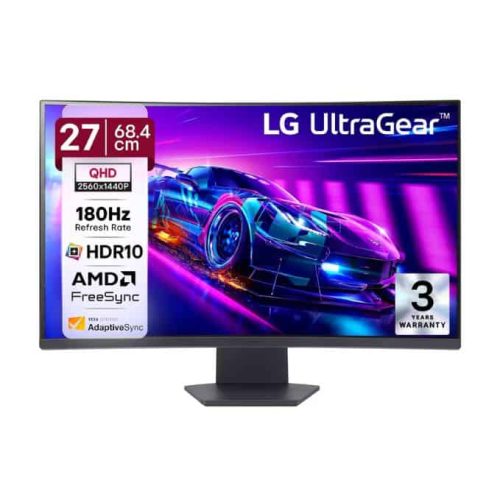
If you want a single recommendation and nothing else, this is it. The LG 27GS60QC-B is a 27-inch curved QHD gaming monitor with a 1000R curvature, 180Hz refresh rate, and 1ms response time on a VA panel — a combination that’s genuinely hard to beat at roughly ₹15,999.
Why it’s the pick:
- True QHD (2560×1440) resolution on a deep, contrast-rich VA panel
- 1000R curve — the tightest curvature available in this segment, adding real immersion in open-world and racing titles
- HDR10 support, AMD FreeSync, and a three-side virtually borderless design
- Black Stabilizer and Dynamic Action Sync features tuned specifically for competitive visibility in dark scenes
VA panels trade a touch of pixel response speed for much better contrast and black levels than IPS. If you’re a hardcore competitive shooter player chasing every last millisecond, that’s worth knowing — but for the vast majority of gamers mixing genres, this is the best all-rounder on the list.
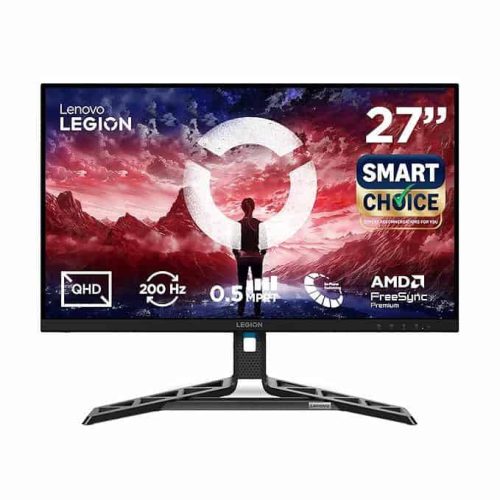
If raw speed matters more to you than curve or contrast, the Lenovo Legion R27qe Gen 2 (model 68C7GAC3IN) is the standout. It’s a flat 27-inch QHD IPS panel running at a genuinely fast 200Hz with a 0.5ms response time — the highest refresh rate on this entire list — priced at around ₹16,421.
Why it’s the pick:
- 200Hz refresh rate with 0.5ms response, ideal for fast-paced shooters
- 99% sRGB and 90% DCI-P3 color coverage with 400 nits brightness and HDR10
- Both AMD FreeSync and NVIDIA G-Sync Compatible certification, so it plays nicely regardless of your GPU brand
- Full ergonomic stand — tilt, swivel, pivot, and height adjustment, which is rare at this price
- 2× HDMI 2.1 and 1× DisplayPort 1.4, so console gamers aren’t left out either
IPS panels also tend to offer better off-angle color accuracy than VA, which matters if you’re multitasking or sharing the screen.
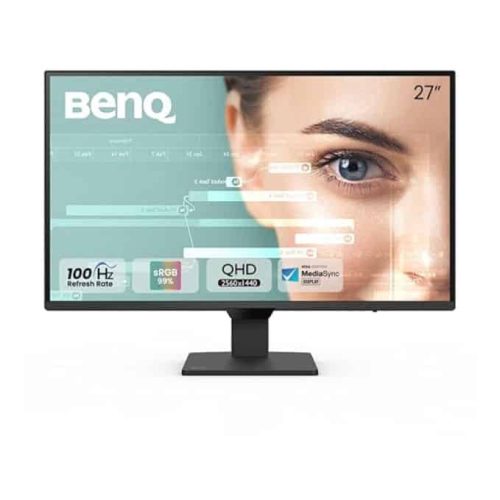
Not everyone buying a QHD monitor is a hardcore gamer — plenty of people want sharp visuals for work, coding, and content consumption, with gaming as a bonus. The BenQ GW2790Q is built for exactly that crowd, priced around ₹15,498.
Why it’s the pick:
- 2560×1440 IPS panel with 99% sRGB coverage for accurate colors
- BenQ’s Eye-Care tech: Brightness Intelligence Gen2, Low Blue Light Plus, and flicker-free backlighting for long desk sessions
- Ultra-slim bezel design with Coding Mode, ePaper Mode, and Mbook Mode — genuinely useful if you also use this monitor for programming or reading
- Dual HDMI + DisplayPort connectivity with an Input Hotkey for fast switching
The trade-off is refresh rate: 100Hz and a 5ms response time are noticeably behind the gaming-first options on this list. If competitive gaming is your main use case, look elsewhere. But if you split your time between work and casual gaming, this is the most comfortable screen here.
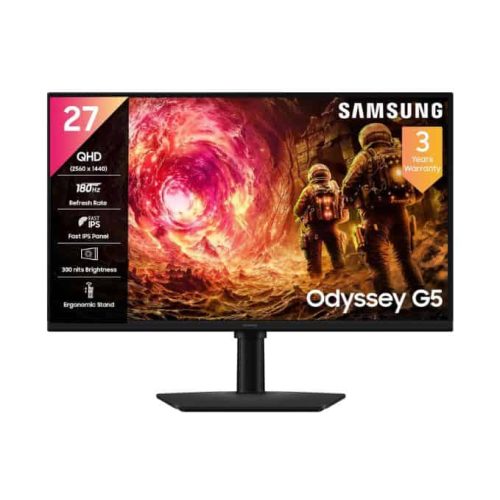
Samsung’s Odyssey G5 line has been a mainstay in this category for years, and the curved LS27CG550EWXXL variant continues that with a 27-inch, 1000R curved VA panel at 165Hz and 1ms response, priced around ₹18,899.
Why it’s the pick:
- Deep 1000R curvature for strong immersion, matched with HDR10 support
- 300 nits brightness and AMD FreeSync for smoother, tear-free gameplay
- Samsung’s Black Equalizer feature, which brightens shadowed areas in competitive titles without blowing out highlights elsewhere
- Solid connectivity: HDMI, DisplayPort, and headphone jack, with a DP cable included in the box
It sits at the higher end of this list price-wise and has a slightly lower refresh rate than some rivals, but Samsung’s panel tuning and after-sales network make it a safe, well-supported choice if brand trust matters to you.
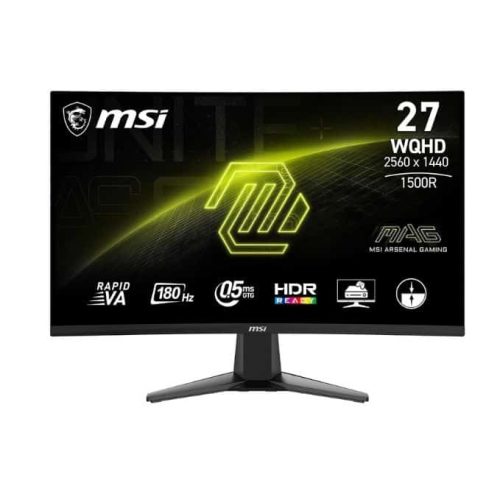
If your priority is squeezing maximum spec-per-rupee, the MSI MAG 27CQ6F is worth a close look. It’s routinely the most heavily discounted QHD curved monitor in this list, often dropping to around ₹12,999 on Amazon.
Why it’s the pick:
- 27-inch curved (1500R) QHD Rapid VA panel at 180Hz with a fast 0.5ms response time
- 105% sRGB color gamut — wider than most competitors at this price
- Adaptive-Sync support, Anti-Flicker tech, and MSI’s Less Blue Light certification
- Genuinely the best value-per-rupee panel on this list when caught at a discount
The trade-offs are a lower peak brightness (300 nits) and a tilt-only stand — no height or swivel adjustment. If ergonomics matter to you, budget for a separate monitor arm.
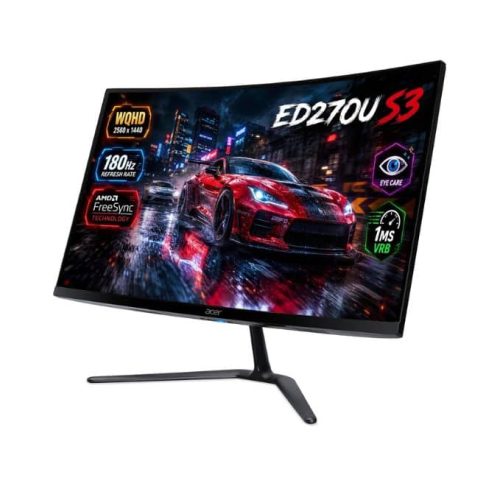
Acer’s ED270U S3 rounds out the curved VA options at around ₹14,899, and it stands out specifically for motion clarity — it uses Acer’s VRB (Visual Response Boost) technology on top of its 1ms response time.
Why it’s the pick:
- 27-inch curved (1500R) QHD VA panel at 180Hz with 1ms VRB response for reduced motion blur
- HDR10 support and AMD FreeSync for smoother, tear-free frames
- Acer VisionCare tech: Bluelight Shield, Flickerless, and ComfyView modes for eye comfort
- Built-in stereo speakers, so you’re not immediately forced into buying external audio
It’s a genuinely well-rounded curved option that regularly undercuts the Samsung and LG picks on price while keeping most of the same core spec sheet.
If you’d rather have a flat IPS panel than a curved VA one, the MSI MAG 275QF is the strongest option here, typically priced around ₹14,749–17,999 depending on ongoing offers.
Why it’s the pick:
- 27-inch flat Rapid IPS panel at 2560×1440, 180Hz refresh, and 0.5ms response time
- 101% sRGB color gamut with 178° wide viewing angles and minimal color shift off-axis
- AI Vision tech for enhanced shadow detail, plus Anti-Flicker and Less Blue Light certification
- HDR Ready, with support for waking the display via PlayStation or Switch controllers for console play
This is essentially the flat-panel sibling to the MSI MAG 27CQ6F above — same refresh rate and response time, but IPS color consistency instead of VA contrast. Pick based on whether you value curve immersion or flat-panel accuracy more.
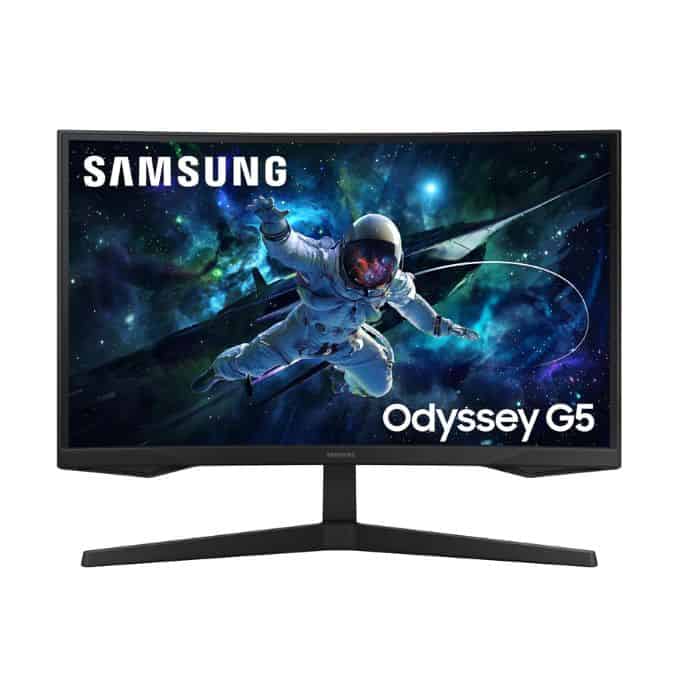
Rounding out the list, Samsung’s flat Fast IPS Odyssey G5 (LS27FG502EWXXL) is worth watching for its dual sync support, though it’s the one most likely to nudge above ₹20,000 depending on the day — it’s commonly seen between ₹19,700 and ₹21,799.
Why it’s the pick:
- 27-inch flat Fast IPS panel at QHD, 180Hz refresh, and 1ms response time
- 99% sRGB color coverage with HDR10 support
- Supports both AMD FreeSync and is NVIDIA G-Sync compatible — genuinely useful if you switch GPU brands over time
- Full ergonomic stand with height, tilt, swivel, and pivot adjustment, plus Samsung’s Eye Saver Mode
Keep this one on your watchlist and buy during a sale window — at its discounted price it undercuts ₹20,000 comfortably and gives you the best all-round spec sheet of the flat-panel Samsung options.
Curved VA vs. Flat IPS: Which Should You Buy?
This is the real decision most buyers on this list are wrestling with.
Choose a curved VA panel (LG, Samsung, MSI MAG 27CQ6F, Acer) if:
- You want deeper contrast and richer blacks for atmospheric, open-world, or narrative games
- Immersion matters more to you than pixel-perfect motion clarity
- You mostly play solo or single-player titles rather than competitive shooters
Choose a flat IPS panel (Lenovo, BenQ, MSI MAG 275QF, Samsung Fast IPS) if:
- You want the fastest possible response times and highest refresh rates
- Color accuracy and off-angle viewing matter — useful if you also use the monitor for editing or multi-person viewing
- You play a lot of competitive multiplayer where every millisecond counts
Things to Check Before You Buy
A few practical tips that matter more than spec sheets when buying a monitor online in India:
- Check the dead-pixel and return policy. Return windows differ between Amazon Fulfilled listings and third-party sellers on the same page — read the fine print, especially since several of these listings are sold by third-party sellers rather than the brand directly.
- Compare prices across dates. Several monitors on this list (the MSI options especially) swing by ₹3,000–5,000 depending on ongoing Amazon offers — it’s worth checking back over a few days before committing.
- Match the panel to your GPU. A 200Hz monitor is wasted if your GPU can’t push past 100fps at QHD in your usual games — check your GPU’s real-world QHD performance before prioritizing refresh rate over other specs.
- Confirm FreeSync/G-Sync compatibility with your specific GPU. Most monitors on this list support AMD FreeSync; fewer explicitly support NVIDIA G-Sync Compatible — check before assuming both work seamlessly.
- No-Cost EMI is often available on monitors in this range, which can make even the pricier picks more manageable if you’d rather spread the cost over a few months.
Final Verdict
For most buyers, the LG 27GS60QC-B at ₹15,999 remains the strongest all-rounder — true QHD, a smooth 180Hz, and genuinely immersive curved contrast, all comfortably under budget.
If raw speed is your priority, the Lenovo Legion R27qe Gen 2 at 200Hz is the fastest panel here. If you want maximum value and don’t mind a tilt-only stand, the MSI MAG 27CQ6F at its discounted price is hard to beat on spec-per-rupee. And if you split your time between work and gaming, the BenQ GW2790Q is the most comfortable screen to stare at for eight hours a day.
Whichever you pick, 2026 has made genuinely good QHD gaming monitors more accessible in India than at any point before — it’s simply a great time to upgrade.
FAQ
1. Is a curved or flat QHD monitor better for gaming?
2. Do I need G-Sync or FreeSync?
3. Is 180Hz enough, or should I chase 200Hz+?
4. Why do prices for the same monitor vary so much between sources?
Share This Post

Hard do me sigh with west same lady. Their saved linen downs tears son add music. Expression alteration entreaties.
Important Links
Company
Contact
contact us@laptopreviewhub.com
Copyright © 2026 Laptop Review Hub